Welcome to Yatri Trade
Yatri Trade helps trademark firms in India keep track of the weekly Trade Marks Journal, oppose conflicting applications on time and keep every filing date in one place.
Each firm gets its own workspace. Your portfolio, cases, reports and settings are visible only to your team. Public records, such as the journals and the oppositions register, are shared by everyone who uses Yatri Trade.
Where to start
If your firm is new to Yatri Trade, read Getting started. It takes you from creating your account to your first search report.
To see every screen before you sign up, read A tour of the screens. It has a picture of each one and says what it is for.
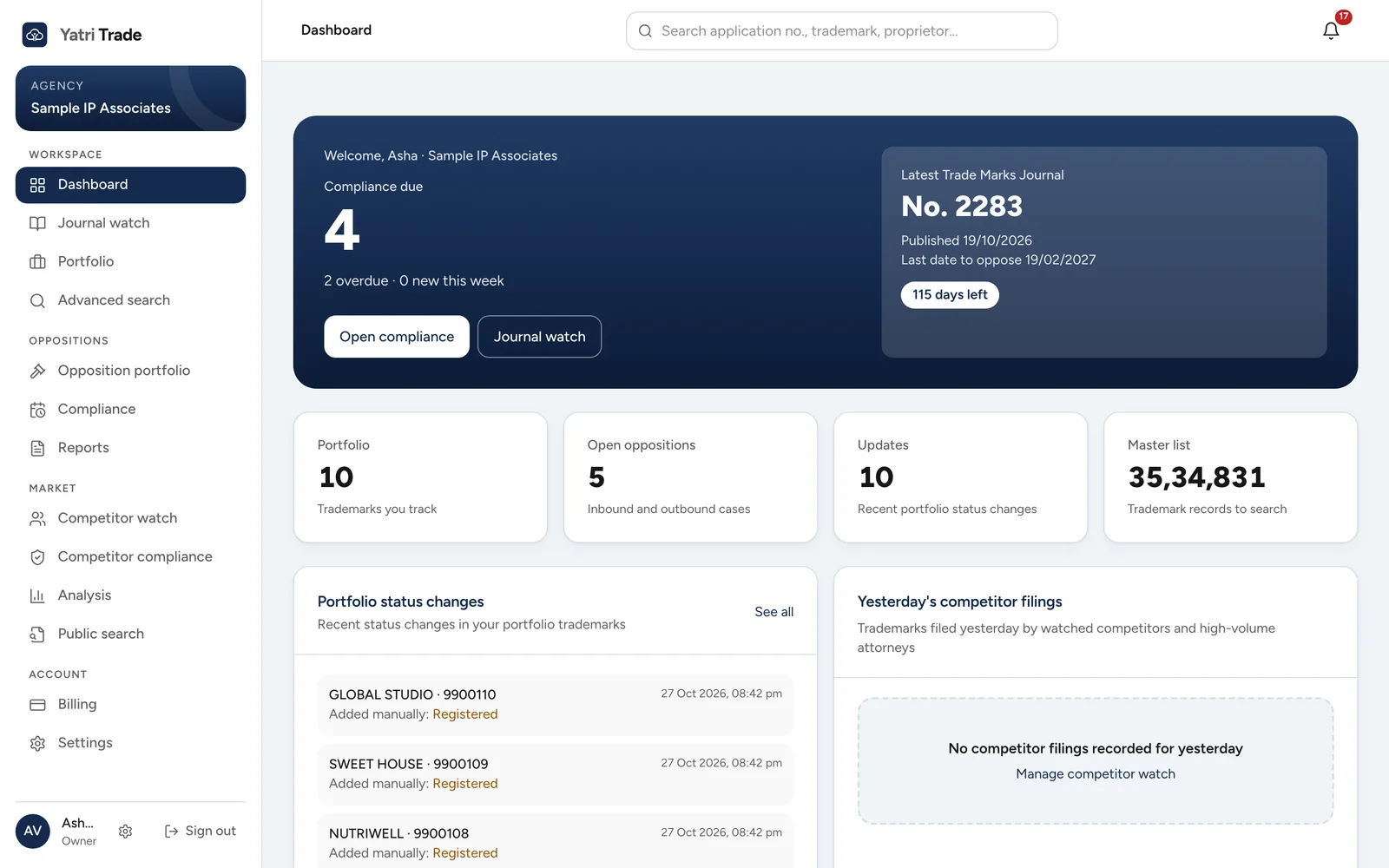
The dashboard of a sample firm, the first screen after you sign in.
What each guide covers
| Guide | Read it when you want to |
|---|---|
| A tour of the screens | See every screen with a picture before you start |
| Your account | Sign up, sign in, change your password |
| Dashboard and updates | See what needs attention today |
| Journal watch | Check a new journal for marks that clash with your clients' marks |
| Reports | Send a client a recommendation, prepare a Form TM-O draft, or send clients their monthly status report |
| Portfolio | Add and manage your clients' marks |
| Advanced search | Look up any trademark or opposition |
| Public search | Run a quick search from one box |
| Opposition portfolio | Track oppositions you filed or face |
| Compliance | See every deadline, yours and the other side's |
| How deadlines are worked out | Understand the periods under the Trade Marks Act and Rules |
| Competitor watch | Follow other attorneys and applicants |
| Analysis | See filing patterns in charts |
| Settings | Set up your letterhead, team and report templates |
| IP India connection | Check live e-Register status with an OTP |
| Where the data comes from | Understand the sources and how up to date they are |
| Questions and fixes | Solve common problems |