Analysis
Analysis shows filing patterns as numbers and bar charts.
At the top, choose Master list for all trademarks in Yatri Trade or My portfolio for your clients' marks only. You can also set a range of filing dates.
The cards show:
- how many marks were filed and across how many classes,
- how many states and applicant types they come from,
- how many marks are objected, registered or opposed,
- how many marks were filed yesterday,
- your inbound and outbound oppositions,
- how many compliance items are pending.
The charts show marks by class, by state or city, by applicant type, by status, by office and by month. Each chart shows ten rows; choose Show all to see the rest. Select a bar to open Advanced search with that filter already applied.
The journal writes the applicant type in many ways ("An Individual", "A Private Limited Company", "Proprietorship Firm"). The applicant type chart groups them into company, LLP, partnership firm, proprietorship, individual, trust or society, government or institution, startup or small enterprise, joint applicants and HUF. Each mark keeps the exact wording from the journal.
Recent filings lists the latest applications. Choose Show more to continue in Advanced search.
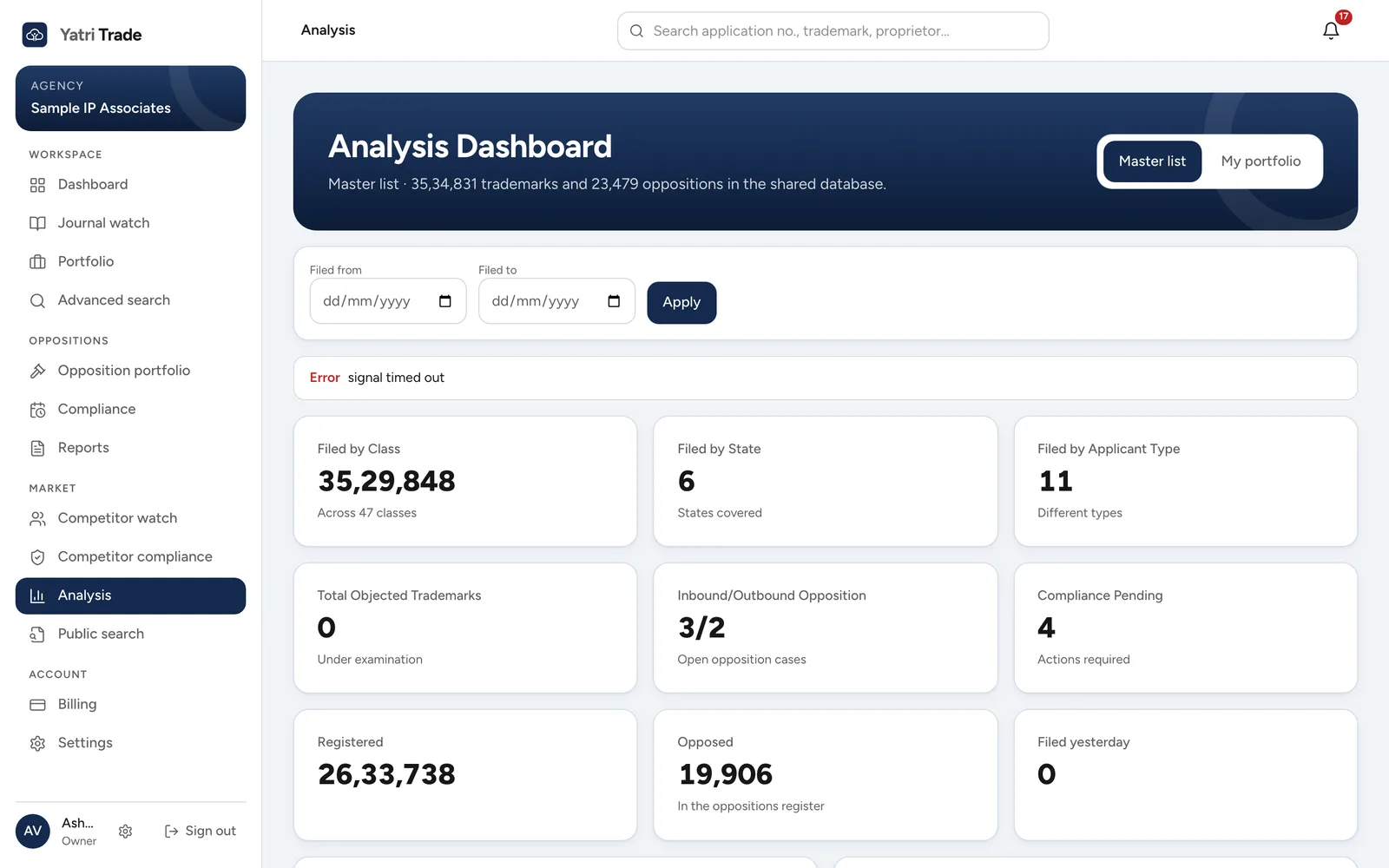
The Analysis page for the master list. Use Master list and My portfolio at the top right to switch between the whole register and your own marks.