Plans and billing
Every new agency starts with a free trial of 14 days. All features are open during the trial and no card is needed. When it ends, the account owner chooses a plan in Billing, in the menu under Account.
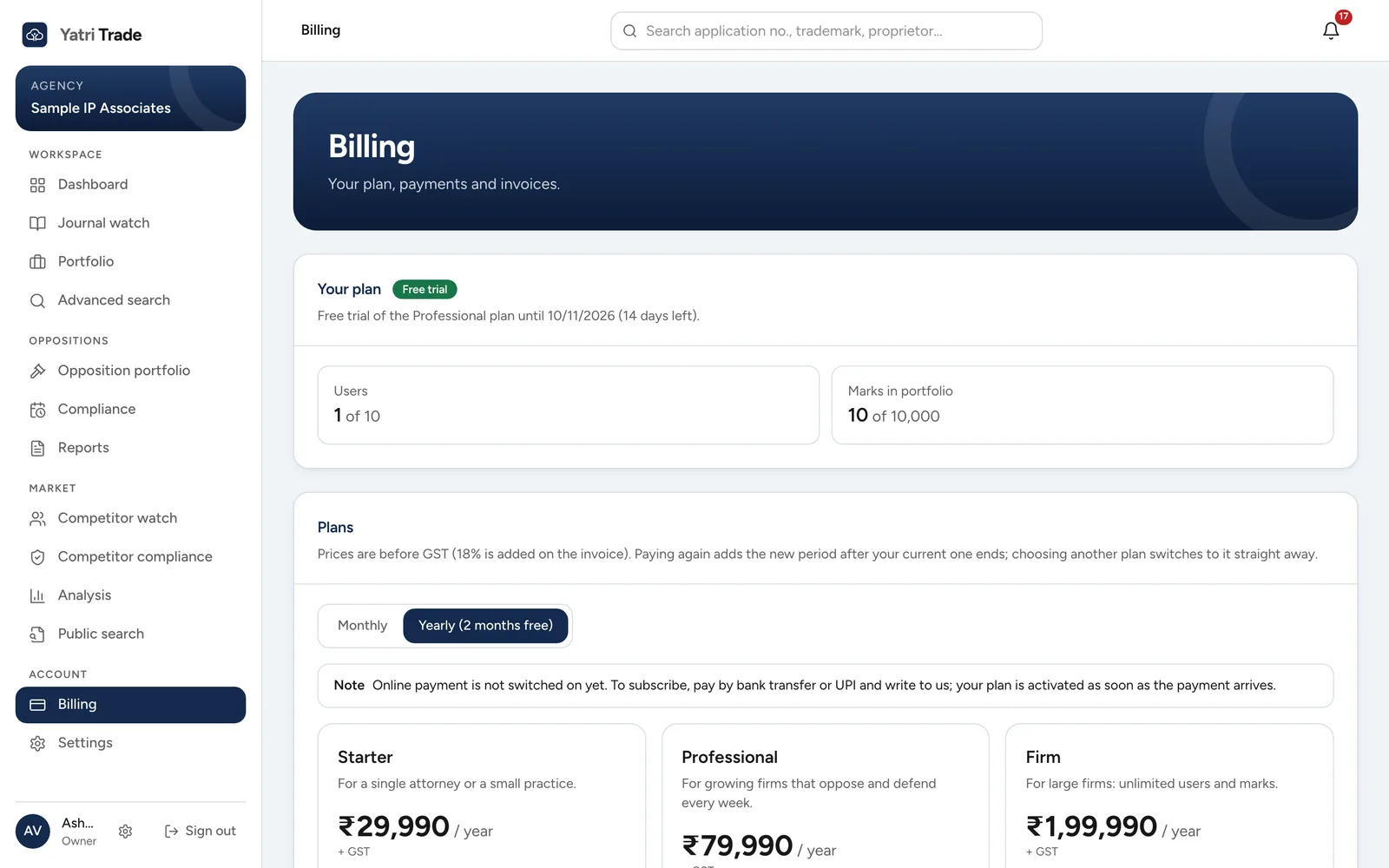
The Billing page during a free trial, with the users and marks in use and the plans to choose from.
Plans
Plans differ only in how many users and how many marks in your portfolio they allow. Every plan has every feature. You can pay for one month or for twelve months; twelve months costs the same as ten.
Prices are shown before GST. GST is added on the invoice. If your firm is in the same state as Yatri Trade, the invoice shows CGST and SGST; otherwise it shows IGST.
Paying
- In Billing, check Billing details first. Choose your state, add your billing address, and add your GSTIN if you want to claim input tax credit. Choose Save billing details.
- Pick Monthly or Yearly above the plans.
- Choose Choose on the plan you want. A Razorpay window opens. Pay with UPI, a card or net banking.
- When the payment goes through, Your plan shows the new end date and the invoice appears under Payments and invoices.
Nothing is debited automatically. Paying again before your plan ends adds the new period after the current one, so you lose no days. Choosing a different plan switches to it straight away.
If online payment is not switched on yet, the page says so. Pay by bank transfer or UPI and write to the address shown; your plan is activated when the payment arrives.
Only the account owner can pay or change the plan. Other users see the plan and its limits.
Invoices
Choose an invoice number under Payments and invoices to open the GST invoice. Use Print or save as PDF to keep a copy.
Limits
Your plan shows how many users and marks you have against what the plan allows. When you reach a limit, adding another user or mark tells you so; upgrade to add more. Syncing your portfolio from attorney codes adds the newest filings first and stops at the limit.
When a plan ends
You get an email seven days and one day before your trial or plan ends. A note also appears at the top of every page in the last week of a trial.
After a paid plan ends, the app stays open for three more days. After that only Billing opens until you pay. Your portfolio, cases and reports are kept, so everything is there again as soon as you renew.